
In 2026, the creator economy has reached a tipping point. You no longer need a high-end camera, a professional studio, or even to show your face to build a massive digital empire. Faceless YouTube channels and viral TikTok accounts are dominating the algorithm, proving that content quality and storytelling far outweigh personal branding. If you have ever wondered how to create faceless videos using AI, you are standing at the threshold of a lucrative, low-stress creative career, unlocking diverse monetization strategies.
The beauty of AI-driven content creation is the massive reduction in production time. What used to take a team of three people—a scriptwriter, a voice actor, and a video editor—can now be accomplished by a single person using a suite of powerful AI tools. In this guide, we will break down the exact workflow to get your first video live, optimized for search engines, and ready to go viral.
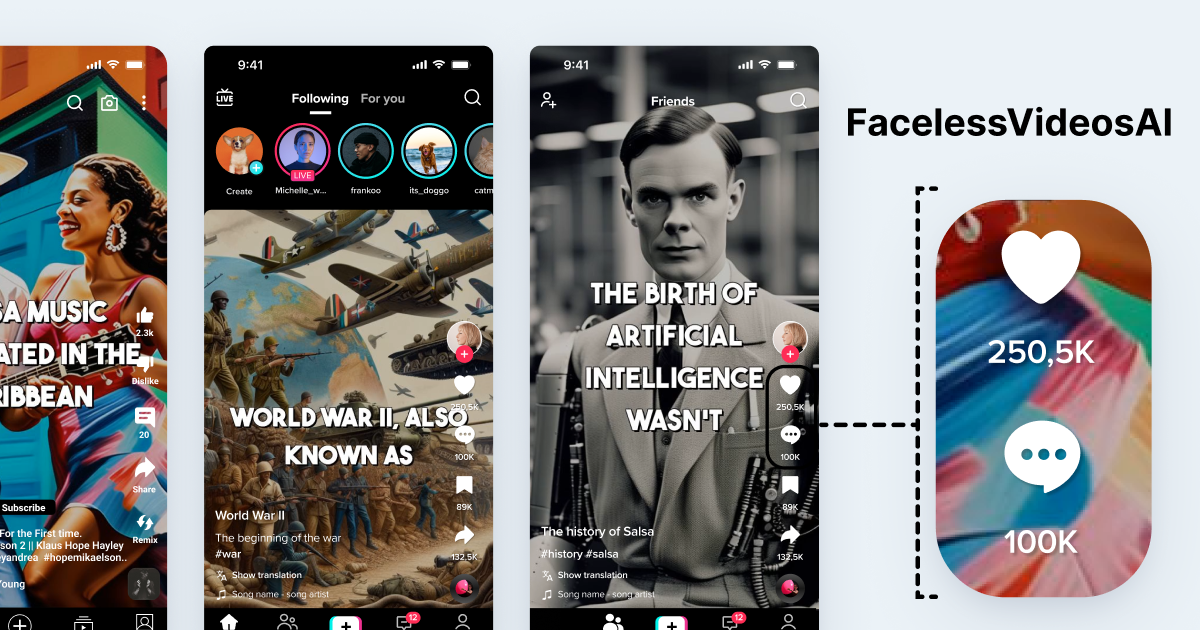
Why Faceless Videos Are the Gold Standard for 2026
The “Faceless” movement isn’t just a trend; it is a strategic business model. By removing the human face from the frame, you focus entirely on the value proposition of your content. This niche is perfect for introverts, privacy-conscious creators, and entrepreneurs looking to scale multiple channels simultaneously.
According to industry data from 2026, faceless channels generate 40% higher retention rates in educational and documentary niches because the visuals are curated to match the narration perfectly, rather than relying on a “talking head” that might distract the viewer. Whether you are building a channel for passive income through methods like affiliate marketing or digital product sales, or for brand awareness, AI allows you to maintain a consistent output of high-quality content without the risk of creator burnout.
Step 1: Niche Selection and Scripting with AI
Before you touch any video software, you need a solid content planning strategy. The most successful faceless channels in 2026 focus on specific, high-CPM (Cost Per Mille) niches. Think of topics like financial literacy, AI news, true crime, historical documentaries, or motivational storytelling.
Once you have your niche, use an AI language model like ChatGPT or Claude to generate your scripts. The secret is in the prompt engineering. Instead of asking for a “video about fitness,” try: “Write a compelling 5-minute YouTube script about the science of intermittent fasting, focusing on a hook that keeps viewers watching until the end, and include a clear call-to-action.”
Pro-Tip: Ensure your script includes a “pattern interrupt” every 30 seconds. This keeps the viewer’s brain engaged and prevents them from scrolling away from your short-form content.
Step 2: Generating Human-Like Voiceovers
The days of robotic, monotone AI voices are long gone. In 2026, AI voice synthesis, powered by advanced text-to-speech generators, is virtually indistinguishable from human narration. Tools like ElevenLabs or OpenAI’s latest voice engines allow you to clone professional-sounding voices or choose from a library of highly emotive, natural-sounding narrators.
When selecting a voice, consider your niche. A calming, deep voice works best for meditation or storytelling, while a high-energy, fast-paced voice is ideal for tech reviews or news updates. Consistency is key; pick one voice and stick with it so your audience can build a brand connection with the “host” of your channel.

Step 3: Visuals and B-Roll Strategy
This is where the magic happens. You have a script and a voiceover—now you need the visuals to keep the viewer’s eyes glued to the screen. For beginners, there are three primary ways to source high-quality footage:
- Stock Footage Libraries: Platforms like Storyblocks or Canva’s built-in library provide millions of professional clips.
- AI Image Generators: Use tools like Midjourney or DALL-E 3 to create hyper-realistic images that perfectly illustrate your specific points.
- AI Video Generators: Newer AI video generation platforms (like Sora or Runway) can generate short, cinematic video clips from a simple text prompt.
The Strategy: Use a mix of these. If you are talking about “the future of space travel,” don’t just use one clip for 30 seconds. Switch between a high-quality stock shot of a rocket, a custom AI-generated image of a Martian colony, and a fast-paced animation of data points. This variety is what makes faceless videos feel professional and high-budget.
Step 4: Editing and Assembly: The AI Workflow
You do not need to be a master of Adobe Premiere Pro to put this together. In 2026, AI-powered video editors have streamlined the assembly process. Tools like InVideo AI, Canva, or CapCut allow you to upload your script and voiceover, and the AI will automatically sync the visuals, add captions, and even include royalty-free music.
Key Features to Look For:
Auto-Captions: Essential for social media, as over 80% of users watch videos on mute.
Smart Transitions: AI tools now suggest transitions that match the beat of your music.
Background Removal: If you do decide to use a mix of real footage and AI, removing backgrounds helps create a cohesive aesthetic.
Always review the final export. While AI does the heavy lifting, your “human touch” in the final review—checking the pacing and ensuring the captions are accurate—is what separates a mediocre video from a viral one.
Step 5: Optimization for Algorithms (SEO)
You have created a masterpiece; now you need people to see it. SEO for video is just as important as the content itself. In 2026, search algorithms prioritize watch time and other crucial audience engagement metrics like likes, shares, and comments.
Titles: Use an “open loop” strategy. Instead of “How to make money,” use “I tried the 2026 AI method to make $100/day: Here’s what happened.”
Descriptions: Include your target keywords naturally in the first two sentences.
Thumbnails: Use high-contrast colors and minimal text. AI tools can now analyze your thumbnail to predict its “click-through rate” (CTR) potential.
Scaling Your Faceless Empire
Once you have mastered the workflow and developed a robust video marketing strategy, you can scale. Many successful creators in 2026 run three to five channels simultaneously. Because the production process is automated, you aren’t trading your time for money—you are trading your process for traffic.
Start by dedicating one hour a day to scripting and one hour to editing. By the end of the week, you could have five high-quality videos ready to be scheduled across YouTube, TikTok, and Instagram Reels. Remember, the goal is to build a library of evergreen content that works for you 24/7.
Common Pitfalls to Avoid
Even with the best tools, beginners often fall into the same traps. Here is how to stay ahead:
Over-relying on Stock Clips: If every video looks like a generic corporate commercial, people will tune out. Mix in custom AI images or unique animations to give your channel a unique visual branding and distinct “look.”
Ignoring Audio Quality: You can get away with lower-quality visuals, but you cannot get away with bad audio. Ensure your AI voiceover is clean, crisp, and leveled properly against your background music.
Inconsistency: The algorithm loves regularity. Whether you post once a week or once a day, stick to a schedule.
Conclusion: Your Journey Starts Today
Learning how to create faceless videos using AI is arguably the most valuable skill for an aspiring creator in 2026. The barrier to entry has never been lower, and the potential for reach has never been higher. By leveraging AI for scripting, voiceover, and editing, you can bypass the technical hurdles that once prevented thousands of people from sharing their ideas with the world.
Don’t wait for the “perfect” moment to start. Your first video might not be your best, but it will be the foundation upon which you build your success. Pick a niche, fire up your AI tools, and start creating today. The digital landscape is waiting for your unique perspective—even if they never see your face.